Overview
The summaryMonish is an iOS‑only notification layer that surfaces the activity of AI agents such as Claude Code, Codex, Cursor, n8n, or cron directly on an iPhone lock screen or Dynamic Island. After installing the free Monish app, which creates a private key on the device, users paste a single line of code into their chosen agent. The agent then uses the key to send status cards, completion pings, approval requests, and numeric summaries to the phone. Updates appear as live cards that refresh in place, and users can interact with up to two buttons or reply within the app. Monish requires no SDK, no account, and no additional server components beyond the agent integration, positioning itself as a lightweight bridge between automated workflows and mobile awareness. The product targets developers, DevOps engineers, and data professionals who run automated tasks and want immediate, glanceable feedback without opening a laptop or web dashboard.
Monish puts AI‑agent progress and approvals directly on your iPhone lock screen, delivering live updates, prompts, and results without extra software.
What this product is
In plain languageMonish is an iOS‑only notification layer that surfaces the activity of AI agents such as Claude Code, Codex, Cursor, n8n, or cron directly on an iPhone lock screen or Dynamic Island. After installing the free Monish app, which creates a private key on the device, users paste a single line of code into their chosen agent. The agent then uses the key to send status cards, completion pings, approval requests, and numeric summaries to the phone. Updates appear as live cards that refresh in place, and users can interact with up to two buttons or reply within the app. Monish requires no SDK, no account, and no additional server components beyond the agent integration, positioning itself as a lightweight bridge between automated workflows and mobile awareness. The product targets developers, DevOps engineers, and data professionals who run automated tasks and want immediate, glanceable feedback without opening a laptop or web dashboard.
From Monish's own site:“Your AI agents, live on your iPhone lock screen”
What makes Monish different?
vs. alternatives in this categoryMonish differentiates itself by embedding AI‑agent status directly into the iPhone lock screen and Dynamic Island, turning what would normally be a web‑based dashboard into a native, glanceable experience. The product eliminates the need for SDKs, accounts, or additional infrastructure; a single line of code pasted into an existing agent is enough to start receiving live updates. Its focus on four distinct ping types—progress, completion, approval, and numeric summaries—offers a richer interaction model than plain push notifications, while the claim of a 300‑message‑per‑hour limit provides a clear performance ceiling. The absence of subscriptions or ads further positions Monish as a lightweight, cost‑transparent tool for developers who want mobile awareness without ongoing fees.
Key features
From the product's own siteProgress updates appear as native iOS lock‑screen cards that refresh in real time.
Notifications are also rendered in the Dynamic Island for quick glanceability.
Agents can send progress/live, done/failed, approve/deny, and numeric summary pings.
Installation requires only the free iPhone app and a single line pasted into the agent.
Each notification can include up to two native buttons for quick actions or replies.
Who it's for
Grounded in pricing, the site's own claims, and categoryShould use this
Monish is suited for developers, DevOps teams, or data engineers who run automated jobs and need instant mobile alerts. It works well for small‑to‑medium teams that prefer a minimal‑setup, notification‑centric workflow and do not require a full‑featured web dashboard.
Shouldn't use this
It may not be ideal for organizations that need high‑volume messaging beyond the 300‑message‑per‑hour limit. Users looking for a desktop or web UI for monitoring will find the product’s iPhone‑only interface insufficient. Those who require disclosed pricing before committing may also be hesitant.
Use cases
Who uses this and whyA backend engineer uses Monish to watch CI test suite progress on the lock screen, so they can monitor builds without opening a laptop.
A DevOps manager receives approval prompts for deployments via Monish, allowing quick approve/deny actions from their iPhone while away from the console.
A data analyst runs nightly cron jobs and gets summary notifications on the lock screen, enabling rapid verification of job success before starting the workday.
Where we found it
Little foundLittle found outside the product's own pages and its launch listing. Common for a new product. We found 0 independent sources. This is a count of places, not a judgement of whether the product's claims are true.
- Own siteProduct website
- Product HuntProduct Hunt listing
What works
Grounded in the site's own pages and the evidence foundThe site says each key can send up to 300 messages an hour, providing a concrete throughput limit. It also states there is no subscription, no in‑app purchase, and no ads, indicating a free‑to‑use model. Additionally, the site mentions the server keeps notifications for 48 hours then deletes them, outlining data retention.
What to know
Caveats, gotchas, and gapsPricing information is not disclosed on the website; there is no publicly listed subscription or tier. Each private key is limited to 300 messages per hour, which could constrain high‑frequency workflows. The homepage does not explain how long keys remain valid or how they are rotated, leaving those operational details unclear. This is a recent launch with limited third‑party coverage.
Pros & cons
+Pros
- Provides real‑time AI‑agent updates directly on iPhone lock screen, reducing context switches.
- Requires only a one‑line paste and no additional SDK or account, simplifying setup.
- Supports multiple back‑ends such as Claude Code, Codex, Cursor, n8n, and cron, offering flexibility.
−Cons
- Pricing details are not disclosed on the website, leaving cost expectations uncertain.
- Message throughput is capped at 300 messages per hour per key, which may limit high‑volume use cases.
- Functionality is limited to iPhone notifications; there is no web or desktop dashboard for broader monitoring.
Pricing
Last checked November 7, 2026What the site says
3 from its own pagesStatements taken from Monish's own pages, each with the page it came from. We list them; we do not rule on whether they are true.
What others say
0 outside pagesWe found no independent pages about Monish yet. That is normal for a new launch, and it is a fact about coverage, not a mark against the product.
How we checked this one
Full methodologyThis review was produced by the SaaSNet.work pipeline — no hands-on testing, no payment from the product. Here's exactly what was checked for Monish.
We never tested the product hands-on and never accepted payment for this review. Spot something wrong? Request a correction.
Frequently asked questions
4 questionsIs Monish free?
The site states there is no subscription, no in‑app purchase, and no ads, indicating that the app itself is offered without a paid plan.
How much does Monish cost?
Pricing details are not disclosed on the website; no pricing tiers or subscription information are publicly listed.
What are Monish's main limitations?
Each private key can send up to 300 messages per hour, and notifications are retained on the server for only 48 hours before deletion.
Do I need to install anything on my computer?
No. The setup requires only the free iPhone app and a one‑line paste into your AI agent; no additional SDK or desktop software is needed.
Looking for alternatives to Monish?
Browse all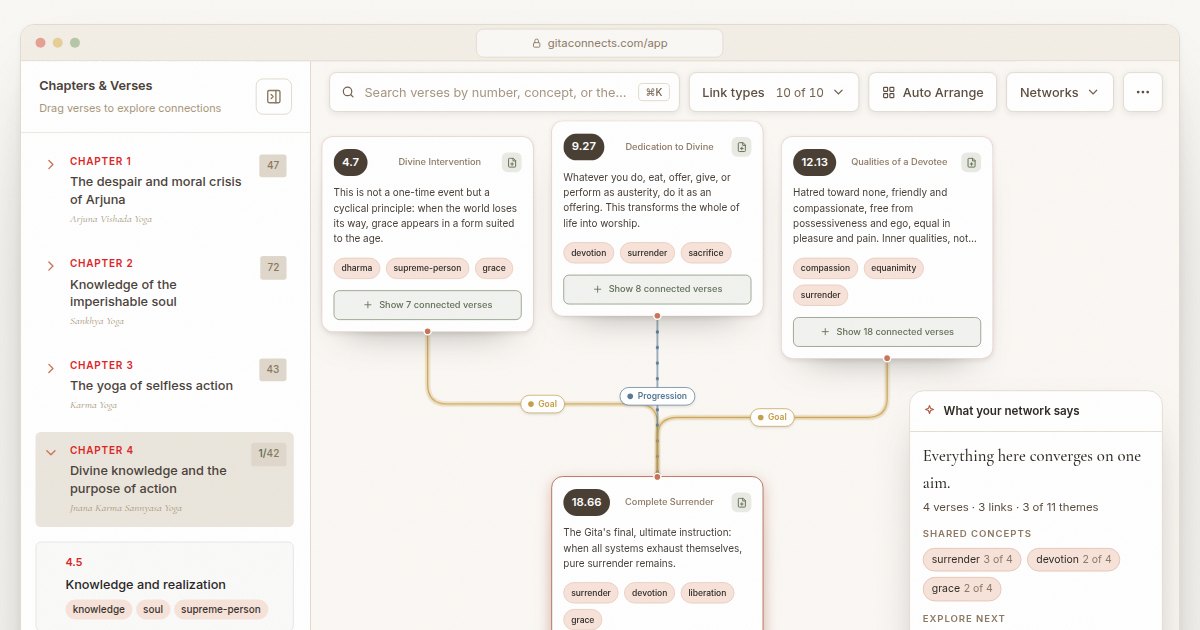
GitaConnects is a free browser-based canvas that maps all 701 Bhagavad Gita verses and the thematic links between them.
CastGhost is a live podcast search and pitch ghostwriting tool that lets professionals draft personalized pitches for free and pay per use.
Guitar Harmony Helper is a browser‑based tab editor that lets guitarists write riffs, find matching scales, and generate harmony parts.