
Overview
The summaryGuitar Harmony Helper is a web‑based tool that combines a simple guitar tab editor with automatic scale detection and harmony generation. Users input fret numbers, choose note lengths, and add expressive techniques such as hammer‑ons, pull‑offs, slides, and vibrato. The system then suggests compatible scales, highlights matching notes on a virtual fretboard, and can generate a second guitar part that harmonizes with the original riff. A free browser demo provides one bar of music and a single harmony, while a paid Windows desktop application unlocks longer projects, multiple harmony tracks, project saving, and bundled FMOD guitar samples. The product targets guitarists who compose or arrange music and want an immediate auditory preview of how a harmony line will sound alongside their lead part. By handling scale matching and harmony creation automatically, the tool aims to speed up the songwriting workflow without requiring external plugins or complex DAW setups. The Windows version is a one‑time $25 purchase and includes features not available in the demo, such as unlimited bars, multiple harmony staffs, and the ability to open and save projects.
Guitar Harmony Helper is a browser‑based tab editor that lets guitarists write riffs, find matching scales, and generate harmony parts.
What this product is
In plain languageGuitar Harmony Helper is a web‑based tool that combines a simple guitar tab editor with automatic scale detection and harmony generation. Users input fret numbers, choose note lengths, and add expressive techniques such as hammer‑ons, pull‑offs, slides, and vibrato. The system then suggests compatible scales, highlights matching notes on a virtual fretboard, and can generate a second guitar part that harmonizes with the original riff. A free browser demo provides one bar of music and a single harmony, while a paid Windows desktop application unlocks longer projects, multiple harmony tracks, project saving, and bundled FMOD guitar samples. The product targets guitarists who compose or arrange music and want an immediate auditory preview of how a harmony line will sound alongside their lead part. By handling scale matching and harmony creation automatically, the tool aims to speed up the songwriting workflow without requiring external plugins or complex DAW setups. The Windows version is a one‑time $25 purchase and includes features not available in the demo, such as unlimited bars, multiple harmony staffs, and the ability to open and save projects.
From Guitar Harmony Helper's own site:“Guitar Harmony Generator & Tab Editor”
What makes Guitar Harmony Helper different?
vs. alternatives in this categoryGuitar Harmony Helper positions itself as a lightweight, instantly accessible solution for guitarists who want to write tab, discover compatible scales, and generate harmonized parts without installing complex software. Its primary differentiator is the combination of an in‑browser demo that requires no account and a low‑cost desktop app that expands capabilities with project saving and multiple harmony tracks. The focus on scale‑matching percentages and visual fretboard highlights offers a more analytical approach than many generic tab editors.
Key features
From the product's own siteEnter fret numbers, note lengths, and techniques like hammer‑ons, pull‑offs, slides, and vibrato; barlines appear automatically.
Add a second guitar part that harmonizes with the lead, explore different fretboard locations, and listen to each part separately.
The site says the tool compares ranked scale matches and matching‑note percentages, highlighting scale and chord notes on the fretboard.
The Windows application allows opening and saving projects, enabling longer compositions and multiple harmony staffs.
Full FMOD‑sampled guitar engine is bundled with the desktop app for higher‑quality playback.
Who it's for
Grounded in pricing, the site's own claims, and categoryShould use this
Individual guitarists or small songwriting teams who need a quick way to draft riffs, test scales, and create harmony parts. The one‑time $25 price fits hobbyists and semi‑professional musicians on a modest budget. Users who prefer a browser‑based demo for brief ideas will also find the free version useful.
Shouldn't use this
Musicians requiring multi‑track mixing, advanced audio effects, or integration with DAWs will need a more comprehensive production suite. The free browser demo is limited to one bar and a single harmony, so users seeking extensive project work must purchase the desktop app. Organizations looking for team licensing or volume discounts will not find those options on the site.
Use cases
Who uses this and whyA solo guitarist uses Guitar Harmony Helper to quickly draft a riff, identify the best fitting scale, and add a harmony line for a solo performance.
A songwriting duo employs the desktop version to build longer compositions with multiple harmonies, saving each version for later refinement.
A guitar teacher demonstrates scale‑matching concepts in class by entering a student’s lick and instantly showing compatible scales and harmony options.
Where we found it
Little foundLittle found outside the product's own pages and its launch listing. Common for a new product. We found 0 independent sources. This is a count of places, not a judgement of whether the product's claims are true.
- Own siteProduct website
- Pricing pagePricing page
- Product HuntProduct Hunt listing
What works
Grounded in the site's own pages and the evidence foundThe site says the free browser demo includes one bar and one harmony, letting users test the core workflow instantly. The Windows application is offered as a one‑time $25 purchase and includes project opening and saving, multiple harmony staffs, and bundled FMOD guitar samples. Pricing is clearly disclosed on the buy page, with a single tier listed.
What to know
Caveats, gotchas, and gapsPricing consists of a single one‑time $25 tier, with no recurring fees or hidden costs. The free browser demo is limited to one bar and one harmony, and the site does not specify any usage limits for the desktop version beyond the features listed. This is a recent launch with limited third‑party coverage.
Pros & cons
+Pros
- Provides an immediate, browser‑based way to write tab and hear a generated harmony without installing software.
- Shows scale‑matching percentages and highlights notes on a virtual fretboard, aiding music theory learning.
- A single one‑time $25 purchase unlocks project saving, multiple harmonies, and higher‑quality FMOD guitar samples.
−Cons
- The free demo is restricted to only one bar of music and a single harmony part.
- No integration with digital audio workstations or multi‑track mixing capabilities.
- Only a Windows desktop version is available; no macOS or Linux support is mentioned.
Pricing
Last checked November 7, 2026What the site says
3 from its own pagesStatements taken from Guitar Harmony Helper's own pages, each with the page it came from. We list them; we do not rule on whether they are true.
- The free browser demo includes one bar and one harmony.guitarharmonyhelper.com
- The Windows application costs $25 USD as a one-time purchase.guitarharmonyhelper.com
- The Windows desktop application allows project opening and saving.guitarharmonyhelper.com
What others say
0 outside pagesWe found no independent pages about Guitar Harmony Helper yet. That is normal for a new launch, and it is a fact about coverage, not a mark against the product.
How we checked this one
Full methodologyThis review was produced by the SaaSNet.work pipeline — no hands-on testing, no payment from the product. Here's exactly what was checked for Guitar Harmony Helper.
We never tested the product hands-on and never accepted payment for this review. Spot something wrong? Request a correction.
Frequently asked questions
3 questionsIs Guitar Harmony Helper free?
The site provides a free browser demo that includes one bar and one harmony, but the full Windows application requires a $25 one‑time purchase.
How much does Guitar Harmony Helper cost?
The Windows desktop version is priced at $25 USD as a one‑time purchase, as disclosed on the product’s buy page.
What are Guitar Harmony Helper's main limitations?
The free browser demo is limited to a single bar and one harmony; the site does not list any explicit limits for the desktop version beyond the feature set described.
Looking for alternatives to Guitar Harmony Helper?
Browse all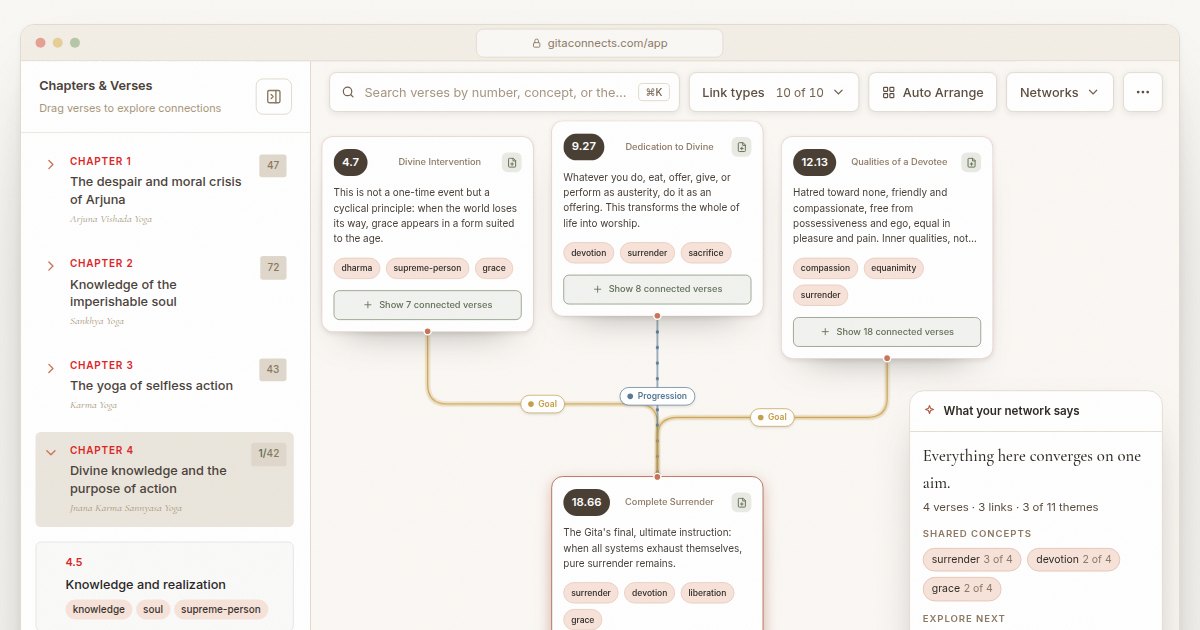
GitaConnects is a free browser-based canvas that maps all 701 Bhagavad Gita verses and the thematic links between them.

CastGhost is a live podcast search and pitch ghostwriting tool that lets professionals draft personalized pitches for free and pay per use.

CancelShut provides hosted Stripe cancellation flows with retention offers and analytics to help SaaS businesses reduce churn.
Get the badge
For the Guitar Harmony Helper teamShow your customers this audit was independently verified. Paste this HTML anywhere on your site — the badge auto-updates if our audit changes.