
Overview
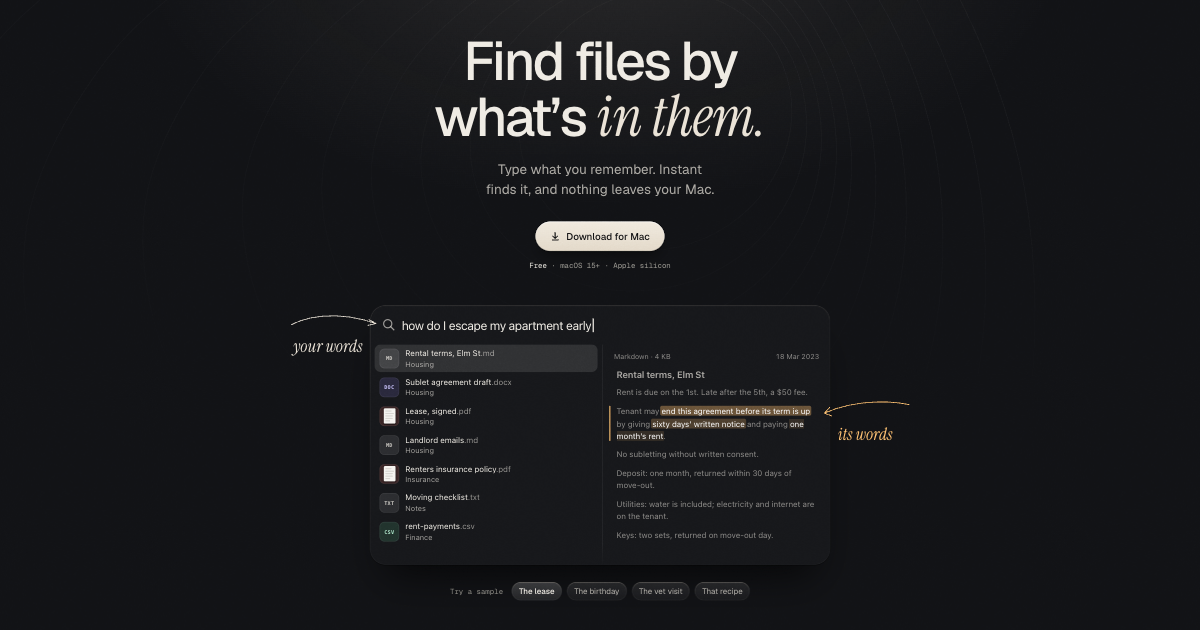
The summaryInstant Search, marketed as “The fastest, most precise local AI Search for your files,” is a free macOS application that runs entirely offline. The site states it requires macOS 15+ and is optimized for Apple Silicon, with a local AI model roughly 1 GB in size. Users type a natural‑language description of what they remember, and the app scans the contents of files stored on the Mac to surface relevant excerpts. The product supports a broad range of file formats, including PDFs (and scanned PDFs), DOCX, RTF, ODT, Markdown, plain text, source code, and common image types such as HEIC, JPEG, PNG, WebP, GIF, and TIFF. When a match is found, the relevant snippet is highlighted, allowing users to jump directly to the needed information. The solution is aimed at individuals or small teams who keep their data locally and prefer a privacy‑preserving search experience without relying on cloud services.
Instant Search is a macOS‑only offline AI tool that quickly finds content inside local files using natural‑language queries.
What this product is
In plain languageInstant Search, marketed as “The fastest, most precise local AI Search for your files,” is a free macOS application that runs entirely offline. The site states it requires macOS 15+ and is optimized for Apple Silicon, with a local AI model roughly 1 GB in size. Users type a natural‑language description of what they remember, and the app scans the contents of files stored on the Mac to surface relevant excerpts. The product supports a broad range of file formats, including PDFs (and scanned PDFs), DOCX, RTF, ODT, Markdown, plain text, source code, and common image types such as HEIC, JPEG, PNG, WebP, GIF, and TIFF. When a match is found, the relevant snippet is highlighted, allowing users to jump directly to the needed information. The solution is aimed at individuals or small teams who keep their data locally and prefer a privacy‑preserving search experience without relying on cloud services.
From Instant Search's own site:“The fastest, most precise local AI Search for your files.”
What makes Instant Search different?
vs. alternatives in this categoryInstant Search differentiates itself by offering a completely offline AI‑driven search experience that never uploads files to the cloud, preserving user privacy. Its 1 GB local model runs on Apple Silicon‑optimized hardware, promising faster processing on newer Macs. The broad format support—including both documents and images—allows users to search across a diverse set of personal files from a single free application, a combination that is uncommon among consumer‑focused search tools.
Key features
From the product's own siteType what you remember and the AI scans your files to return matching content.
All indexing and querying happen locally, so no data leaves the Mac.
The app is tuned for Apple Silicon chips, promising efficient performance on newer Macs.
Reads PDFs, scanned PDFs, DOCX, RTF, ODT, Markdown, plain text, source code, and major image formats.
Search results include highlighted snippets that point directly to the relevant passage.
Who it's for
Grounded in pricing, the site's own claims, and categoryShould use this
Instant Search suits individual Mac users or small teams who keep their documents on macOS and need a quick, privacy‑first way to locate information across many file types. Its free, offline nature makes it attractive for budgets that cannot accommodate cloud‑based search services.
Shouldn't use this
The product is not suitable for Windows, Linux, or Intel‑only Mac users, nor for organizations that require cross‑platform or cloud‑synced search. It also does not offer API access or integration with other services, so developers needing programmable search capabilities should look elsewhere.
Use cases
Who uses this and whyA freelance writer uses Instant Search to locate research notes across PDFs and markdown files because the AI can understand natural language queries and highlight exact passages without uploading any data.
An accountant uses Instant Search to retrieve specific contract clauses or expense reports from DOCX and CSV files because the tool runs locally on macOS and ensures that sensitive financial documents stay on the device.
Where we found it
Little foundLittle found outside the product's own pages and its launch listing. Common for a new product. We found 0 independent sources. This is a count of places, not a judgement of whether the product's claims are true.
- Own siteProduct website
- Product HuntProduct Hunt listing
What works
Grounded in the site's own pages and the evidence foundThe site says the app is free, works fully offline, requires macOS 15+ and is Apple Silicon‑optimized. It also states the local search model is about 1 GB in size and that it reads PDF, scanned PDF, DOCX, RTF, ODT, Markdown, text and source code, as well as HEIC, JPEG, PNG, WebP, GIF and TIFF files.
What to know
Caveats, gotchas, and gapsPricing information is not disclosed on the website, as no pricing page or tier data were found. The site does not provide performance metrics such as search speed or model accuracy, leaving those details unclear. This is a recent launch with limited third‑party coverage.
Pros & cons
+Pros
- Runs completely offline, ensuring that no file data leaves the Mac and preserving user privacy.
- Supports a wide variety of document and image formats, including PDFs, Word files, markdown, source code, and common image types.
- Optimized for Apple Silicon, offering potentially faster performance on newer Macs compared to generic CPU‑only solutions.
−Cons
- Only available for macOS 15+ and Apple Silicon, excluding Intel‑based Macs and users of other operating systems.
- Pricing information is not disclosed on the website, leaving potential customers uncertain about any future paid tiers.
- The product’s performance metrics, such as search speed or model accuracy, are not provided, making it hard to benchmark against alternatives.
What the site says
3 from its own pagesStatements taken from Instant Search's own pages, each with the page it came from. We list them; we do not rule on whether they are true.
- The app is free, works fully offline, requires macOS 15+ and is Apple Silicon‑optimized.useinstantsearch.com
- Its local search model is about 1 GB in size.useinstantsearch.com
- It reads PDF, scanned PDF, DOCX, RTF, ODT, Markdown, text and source code, as well as HEIC, JPEG, PNG, WebP, GIF and TIFF files.useinstantsearch.com
What others say
0 outside pagesWe found no independent pages about Instant Search yet. That is normal for a new launch, and it is a fact about coverage, not a mark against the product.
How we checked this one
Full methodologyThis review was produced by the SaaSNet.work pipeline — no hands-on testing, no payment from the product. Here's exactly what was checked for Instant Search.
We never tested the product hands-on and never accepted payment for this review. Spot something wrong? Request a correction.
Frequently asked questions
3 questionsIs Instant Search free?
The site states that Instant Search is free to download and use.
How much does Instant Search cost?
No pricing tiers or subscription details are listed on the website, so the cost is not disclosed.
What file types does Instant Search support?
According to the site, it reads PDF, scanned PDF, DOCX, RTF, ODT, Markdown, text, source code, and image formats such as HEIC, JPEG, PNG, WebP, GIF, and TIFF.
Looking for alternatives to Instant Search?
Browse all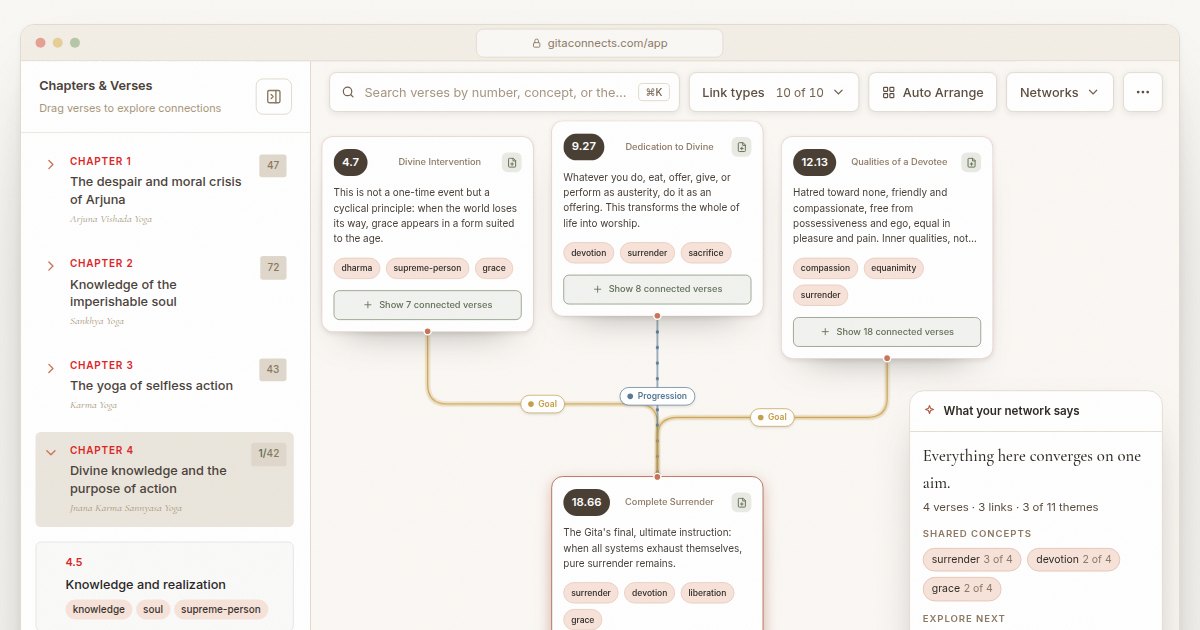
GitaConnects is a free browser-based canvas that maps all 701 Bhagavad Gita verses and the thematic links between them.

CastGhost is a live podcast search and pitch ghostwriting tool that lets professionals draft personalized pitches for free and pay per use.
Guitar Harmony Helper is a browser‑based tab editor that lets guitarists write riffs, find matching scales, and generate harmony parts.