
Overview
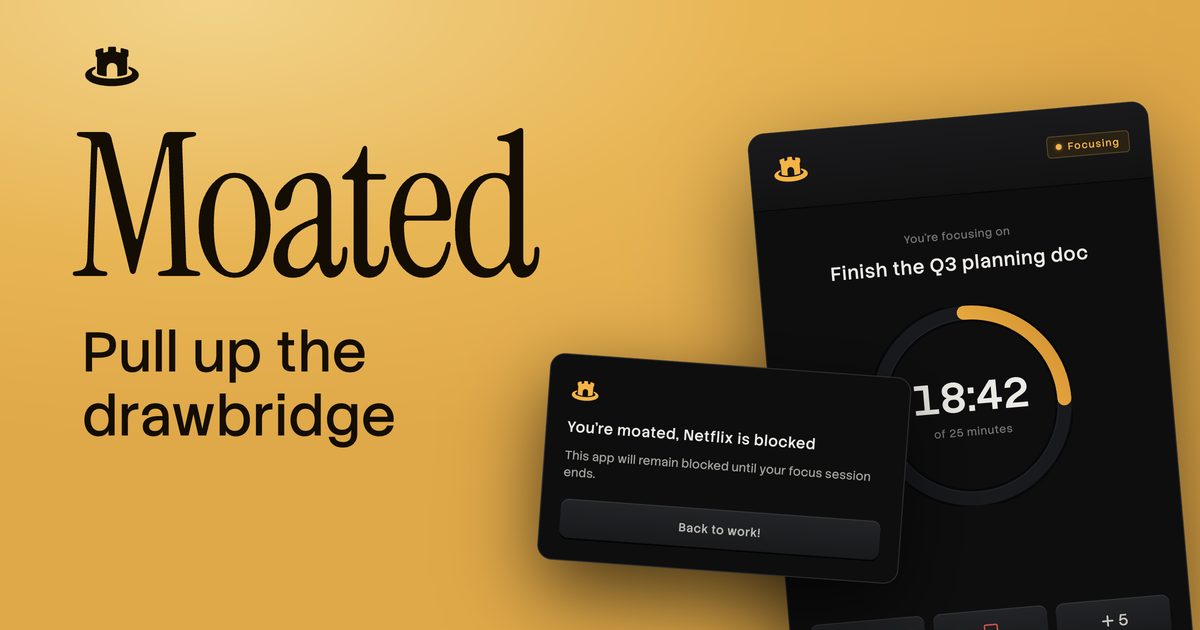
The summaryMoated presents itself as a menu‑bar focus timer designed exclusively for macOS 15 Sequoia or later. According to the site, users can start goal‑based focus sessions during which the app locks out selected applications and websites, keeping the drawbridge down until the timer expires. The remaining time is displayed directly in the menu bar, and users can organize blocked items into custom categories, as well as save previous sessions for reuse. Moated also claims compatibility with most modern browsers, allowing web‑based distractions to be blocked without additional extensions. The product appears aimed at individuals who need structured, distraction‑free work periods on their Mac, such as writers, developers, or anyone handling focused tasks. Users initiate a session by specifying a goal (e.g., finishing a document), select the apps or sites to block, and let Moated enforce the restriction until the timer ends. The site offers a 7‑day free trial and mentions a one‑time payment to stay updated, though no specific price is disclosed.
Moated is a Mac menu‑bar focus timer that blocks distracting apps and websites until your timed session ends.
What this product is
In plain languageMoated presents itself as a menu‑bar focus timer designed exclusively for macOS 15 Sequoia or later. According to the site, users can start goal‑based focus sessions during which the app locks out selected applications and websites, keeping the drawbridge down until the timer expires. The remaining time is displayed directly in the menu bar, and users can organize blocked items into custom categories, as well as save previous sessions for reuse. Moated also claims compatibility with most modern browsers, allowing web‑based distractions to be blocked without additional extensions. The product appears aimed at individuals who need structured, distraction‑free work periods on their Mac, such as writers, developers, or anyone handling focused tasks. Users initiate a session by specifying a goal (e.g., finishing a document), select the apps or sites to block, and let Moated enforce the restriction until the timer ends. The site offers a 7‑day free trial and mentions a one‑time payment to stay updated, though no specific price is disclosed.
From Moated's own site:“Everything else can wait”
What makes Moated different?
vs. alternatives in this categoryMoated positions itself around a minimalist, menu‑bar experience that pulls up a literal “drawbridge” to keep distractions out until a timed focus session ends. Unlike broader productivity suites, it concentrates on macOS‑native blocking of apps and websites without requiring additional extensions or cloud services. The combination of goal‑based sessions, custom categories, and a persistent timer display distinguishes it from generic timers, while the one‑time payment model offers a clear alternative to subscription‑based focus tools.
Key features
From the product's own siteSet a specific work goal and a timer; Moated blocks distractions until the session completes.
Lock out selected applications and websites, preventing access until the focus timer ends.
See the remaining focus time directly in the Mac menu bar for quick reference.
Organize blocked apps and sites into user‑defined categories for faster session setup.
Save previous focus sessions to reuse settings without re‑configuring each time.
Works with most modern browsers, extending blocking capability to web‑based distractions.
Who it's for
Grounded in pricing, the site's own claims, and categoryShould use this
Moated suits solo Mac users who need short, structured focus periods, such as freelancers, writers, or developers. It works well for those comfortable with a one‑time purchase model and who value a simple, menu‑bar interface. The free 7‑day trial lets users evaluate the blocker before committing.
Shouldn't use this
The product may not suit teams that require cross‑platform support or collaborative focus tools, as it is macOS‑only. Users seeking a free, indefinitely usable version will not find one, since only a trial and a paid license are offered. Those needing detailed reporting or analytics of distraction habits may also find Moated lacking.
Use cases
Who uses this and whyA freelance writer uses Moated to block social media and email while drafting articles, because the timer and menu‑bar display keep the session visible and enforce focus.
A software developer leverages Moated to prevent access to streaming sites during coding sprints, because custom categories let them quickly block multiple entertainment sources.
A remote student employs Moated during study blocks to block distracting websites, because the saved session feature lets them reuse the same settings each day.
Where we found it
Little foundLittle found outside the product's own pages and its launch listing. Common for a new product. We found 0 independent sources. This is a count of places, not a judgement of whether the product's claims are true.
- Own siteProduct website
- Product HuntProduct Hunt listing
What works
Grounded in the site's own pages and the evidence foundThe site says Moated can block distracting apps and sites and shows remaining time in the menu bar, providing a clear visual cue. It also states that users can create custom categories and save prior sessions, which should streamline repeated use. Pricing information includes a 7‑day free trial and a one‑time payment to stay updated, indicating a straightforward purchase model.
What to know
Caveats, gotchas, and gapsPricing is not disclosed beyond the statement of a one‑time payment and a 7‑day free trial; no exact cost is listed. The product’s documentation does not specify which apps or websites are supported out of the box, nor does it detail how blocking is enforced technically. This is a recent launch with limited third‑party coverage.
Pros & cons
+Pros
- Clear, menu‑bar timer gives users an always‑visible indication of remaining focus time.
- Custom categories let users organize and quickly apply groups of blocked apps and sites.
- One‑time payment model avoids recurring subscription fees after the trial period.
−Cons
- Exact pricing is not published, leaving potential buyers without cost details before trial.
- Only macOS 15 Sequoia or later is supported, excluding users on older macOS versions or other platforms.
- No detailed list of supported apps or technical explanation of how sites are blocked is provided.
What the site says
3 from its own pagesStatements taken from Moated's own pages, each with the page it came from. We list them; we do not rule on whether they are true.
- Download for Mac macOS 15 Sequoia or latergetmoated.com
- One time payment to stay updatedgetmoated.com
- 7-day free trialgetmoated.com
What others say
0 outside pagesWe found no independent pages about Moated yet. That is normal for a new launch, and it is a fact about coverage, not a mark against the product.
How we checked this one
Full methodologyThis review was produced by the SaaSNet.work pipeline — no hands-on testing, no payment from the product. Here's exactly what was checked for Moated.
We never tested the product hands-on and never accepted payment for this review. Spot something wrong? Request a correction.
Frequently asked questions
4 questionsIs Moated free?
Moated offers a 7‑day free trial, but there is no permanently free tier; a paid one‑time payment is required after the trial.
How much does Moated cost?
The site mentions a one‑time payment to stay updated, but the exact price is not disclosed on the website.
What are Moated's main limitations?
Pricing details are undisclosed, and the product is limited to macOS 15 Sequoia or later, with no cross‑platform support mentioned.
How does Moated block websites?
The site states it works on most modern browsers, implying it can block web sites during a focus session, though technical specifics are not provided.
Looking for alternatives to Moated?
Browse allByteSend is an open‑source email service that lets developers send transactional and marketing messages via API, SMTP relay, or SDKs.

Taskatk is a unified workspace that merges task boards, time tracking, approvals and reporting for teams in one place.
SocialGrovv lets creators generate faceless, narrated YouTube videos and Shorts automatically, eliminating camera work and editing.