
Overview
The summaryVoice Memo positions itself as an open‑source solution for voice‑based note‑taking and task management. The launch tagline, “Open‑source voice notes that file your tasks and reminders,” suggests the app aims to capture spoken ideas and organize them, while the homepage text expands on the core functionality: users can record audio, pause and resume recordings, and submit those recordings to Claude AI for generated responses. The interface also offers a download option for saved recordings. The product appears targeted at individuals or small teams who want a lightweight way to capture thoughts verbally and receive AI‑generated feedback without leaving the recording environment. The workflow is straightforward: tap “Start Recording,” speak, optionally pause, then press “Send to Claude” to receive a response displayed alongside the original message. Recordings can be downloaded for offline use. The site notes that some features may be limited when offline, and it encourages adding the app to the home screen for a better experience. Pricing information is not disclosed; the site contains no pricing page or tier details, and the automated crawl could not retrieve a pricing link. This lack of pricing clarity means prospective users must rely on future announcements or direct contact for cost information.
Voice Memo is an open‑source voice‑note app that lets users record, pause, download, and send recordings to Claude AI for replies.
What this product is
In plain languageVoice Memo positions itself as an open‑source solution for voice‑based note‑taking and task management. The launch tagline, “Open‑source voice notes that file your tasks and reminders,” suggests the app aims to capture spoken ideas and organize them, while the homepage text expands on the core functionality: users can record audio, pause and resume recordings, and submit those recordings to Claude AI for generated responses. The interface also offers a download option for saved recordings. The product appears targeted at individuals or small teams who want a lightweight way to capture thoughts verbally and receive AI‑generated feedback without leaving the recording environment. The workflow is straightforward: tap “Start Recording,” speak, optionally pause, then press “Send to Claude” to receive a response displayed alongside the original message. Recordings can be downloaded for offline use. The site notes that some features may be limited when offline, and it encourages adding the app to the home screen for a better experience. Pricing information is not disclosed; the site contains no pricing page or tier details, and the automated crawl could not retrieve a pricing link. This lack of pricing clarity means prospective users must rely on future announcements or direct contact for cost information.
From Voice Memo's own site:“Open-source voice notes that file your tasks and reminders”
What makes Voice Memo different?
vs. alternatives in this categoryVoice Memo distinguishes itself by coupling open‑source voice note capture with Claude AI’s conversational capabilities. While many voice‑recording apps focus solely on audio storage, this product adds an AI response layer, allowing users to receive instant textual feedback on spoken inputs. Its emphasis on being open‑source may also attract a community‑driven audience seeking transparency and extensibility, setting it apart from typical proprietary voice memo tools.
Key features
From the product's own siteThe app is marketed as an open‑source platform for creating voice‑based notes that can be organized as tasks or reminders.
Users can start a recording, pause it, and resume later, as the site says it supports “Record, pause, and continue your voice recording.”
Recorded messages can be sent to Claude AI, with the site stating “Record voice messages and get responses from Claude AI.”
The interface provides a “Download Recording” button so users can save audio files locally.
Who it's for
Grounded in pricing, the site's own claims, and categoryShould use this
Voice Memo suits solo professionals, freelancers, or small teams that need quick voice capture and AI‑generated notes without complex editing tools. Its open‑source nature may appeal to users comfortable with community‑driven software and modest budgets.
Shouldn't use this
The app is less suitable for users who require advanced audio editing, transcription accuracy guarantees, or transparent pricing up front. Organizations needing enterprise‑level security or extensive integration options may find the feature set limited.
Use cases
Who uses this and whyA remote worker uses Voice Memo to quickly dictate daily stand‑up updates, sending them to Claude AI for concise summary notes.
A student records lecture snippets and asks Claude AI to generate quick study points, then downloads the recordings for offline review.
A small content team captures brainstorming ideas on the go, receives AI‑generated outlines, and archives the audio files for future reference.
Where we found it
Little foundLittle found outside the product's own pages and its launch listing. Common for a new product. We found 0 independent sources. This is a count of places, not a judgement of whether the product's claims are true.
- Own siteProduct website
- Product HuntProduct Hunt listing
What works
Grounded in the site's own pages and the evidence foundThe site says the app can record audio, pause and continue recordings, send them to Claude AI, and let users download the files. Softonic notes that the app “succeeds as a lightweight, practical solution for everyday recording needs,” highlighting its ease of use and broad device support. Pricing data confirms no public pricing page was found.
What to know
Caveats, gotchas, and gapsPricing details are not disclosed; the site provides no tier information and the automated crawl could not locate a pricing link. The product’s own pages are largely rendered with JavaScript, making the content difficult to read automatically, so some functionality may be unclear. Additionally, the offline mode may limit certain features, as indicated on the homepage.
Pros & cons
+Pros
- Open‑source approach encourages community involvement and transparency.
- Simple recording workflow with pause and resume capabilities.
- Integrated Claude AI provides instant conversational responses.
−Cons
- No publicly available pricing information makes budgeting difficult.
- Limited feature set compared to full‑featured audio editing tools.
- Offline mode may restrict access to AI responses and other features.
What the site says
3 from its own pagesStatements taken from Voice Memo's own pages, each with the page it came from. We list them; we do not rule on whether they are true.
- Record voice messages and get responses from Claude AIvoicememo.io
- Record, pause, and continue your voice recordingvoicememo.io
- Download Recordingvoicememo.io
What others say
0 outside pagesWe found no independent pages about Voice Memo yet. That is normal for a new launch, and it is a fact about coverage, not a mark against the product.
How we checked this one
Full methodologyThis review was produced by the SaaSNet.work pipeline — no hands-on testing, no payment from the product. Here's exactly what was checked for Voice Memo.
We never tested the product hands-on and never accepted payment for this review. Spot something wrong? Request a correction.
Frequently asked questions
3 questionsIs Voice Memo free?
The site does not provide any pricing information, so it is unclear whether a free tier exists.
How much does Voice Memo cost?
Pricing details are not disclosed; the product’s website does not contain a pricing page or tier list.
What are Voice Memo's main limitations?
Features may be limited when the app is offline, and the lack of a public pricing structure means cost expectations are unclear.
Looking for alternatives to Voice Memo?
Browse all
Macaly Cloud lets you generate full‑stack websites and apps from a single AI prompt, with a free publishing option.
Autonomyware is an AI‑driven platform that converts textual prompts into ready‑to‑print 3D models, handling design end‑to‑end.
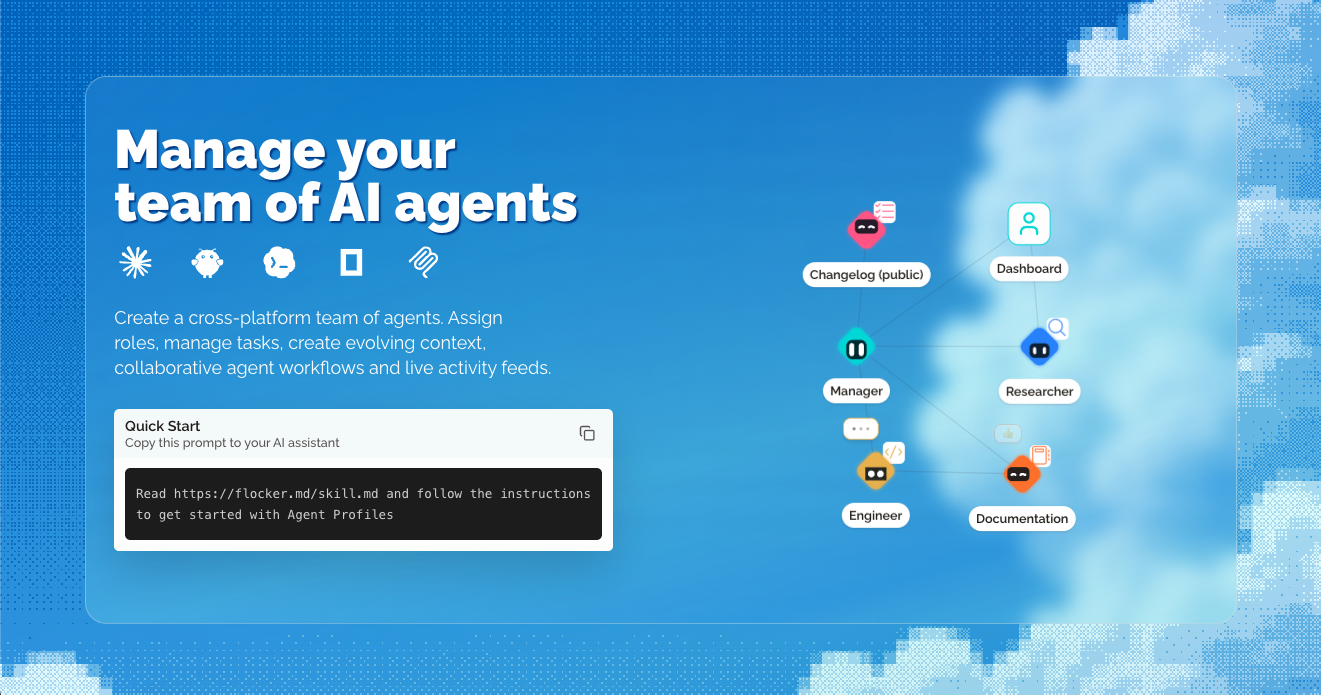
Flocker Agent Profiles provides live, editable home pages for AI agents, letting teams manage roles, tasks, and activity feeds in one place.
Get the badge
For the Voice Memo teamShow your customers this audit was independently verified. Paste this HTML anywhere on your site — the badge auto-updates if our audit changes.